Plugins
Plugins add to the editor what is not standard: a helix, a turnout ladder, a transition curve. They are free, every one of them. You choose which ones you want to use.
Switching plugins on
Click your name at the top right and choose My plugins. Every plugin is listed there with what it does and a Switch on button. What you switch on is on the Plugins tab of the ribbon the next time you open a layout.
Using a plugin
A plugin lays track from a free connection.
- Select the dot where it should start. Without a selected dot the plugin tells you it needs one.
- Click the plugin on the Plugins tab. A window opens with its settings.
- What the plugin lays shows at once as a preview on the layout. Change a setting and the preview changes with it. Under the settings are the plugin's notes: how long, how steep, what does not fit.
- Lay it keeps it, Cancel or Escape takes it away again.
What a plugin lays is one undo step. After that it is ordinary track from your library: you move, raise and remove it like any other piece.
Helix
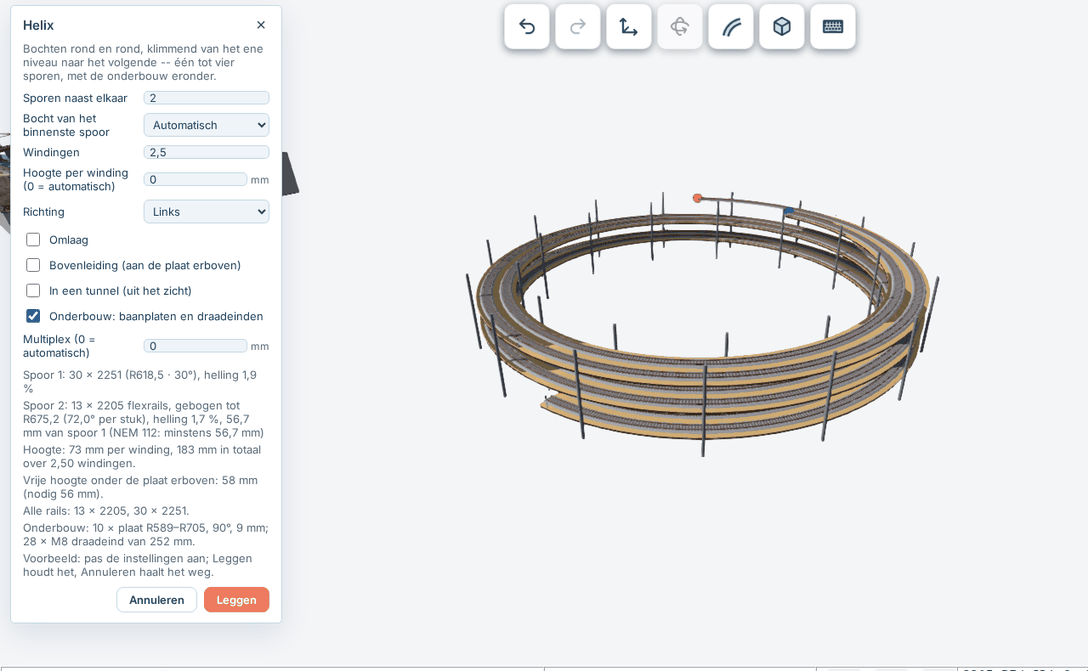
A helix takes the track round and round, climbing from one level to the next. The settings:
- Tracks side by side: one to four.
- Curve of the inner track: a curve from your library. The outer tracks get the curves that fit around it.
- Turns: how often the track goes round, in quarters.
- Height per turn: 0 is automatic, just enough for a train underneath.
- Direction left or right, and Going down to go down instead of up.
- Overhead line: the wire then hangs from the underside of the plate above, as in a tunnel.
- In a tunnel: the helix is out of sight.
- Benchwork: TRAX draws the roadbed plates and threaded rods under it, with the thickness of the plywood.
The plugin tells you when a track climbs more than 3.5 percent, or when there is not enough room for the trains and the overhead line.
Turnout ladder
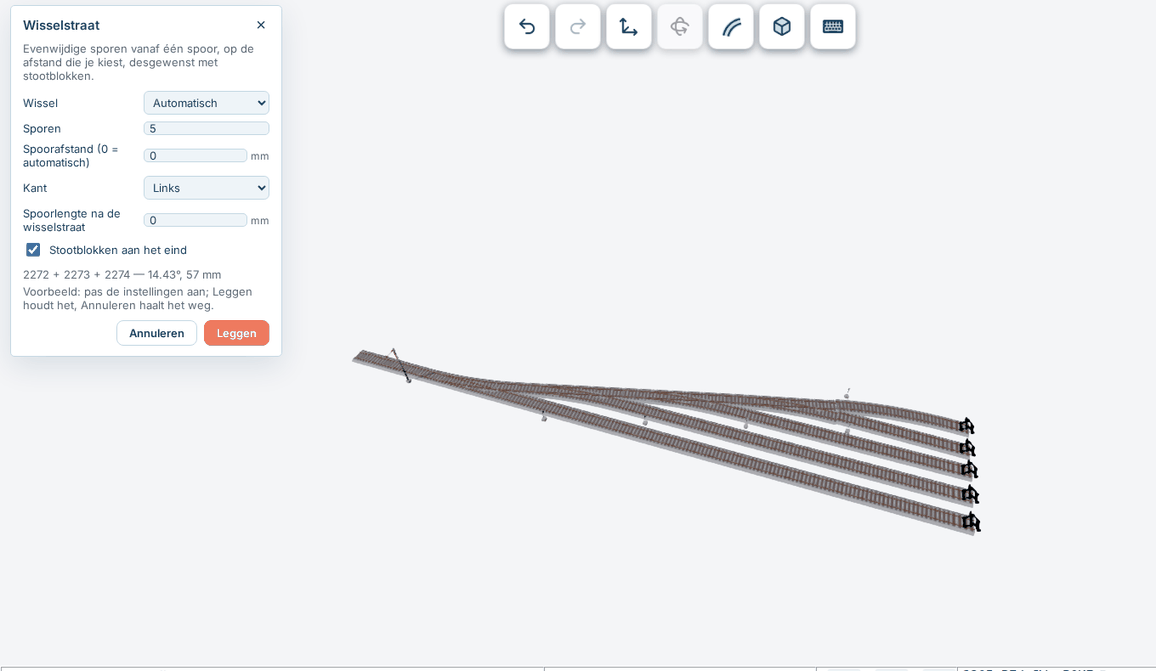
A turnout ladder makes parallel tracks off one track, for a yard for example.
- Turnout: which turnout from your library.
- Tracks: two to sixteen.
- Track spacing: 0 is automatic.
- Side: left or right.
- Track length after the ladder, and if you like buffer stops at the ends.
Transition curve
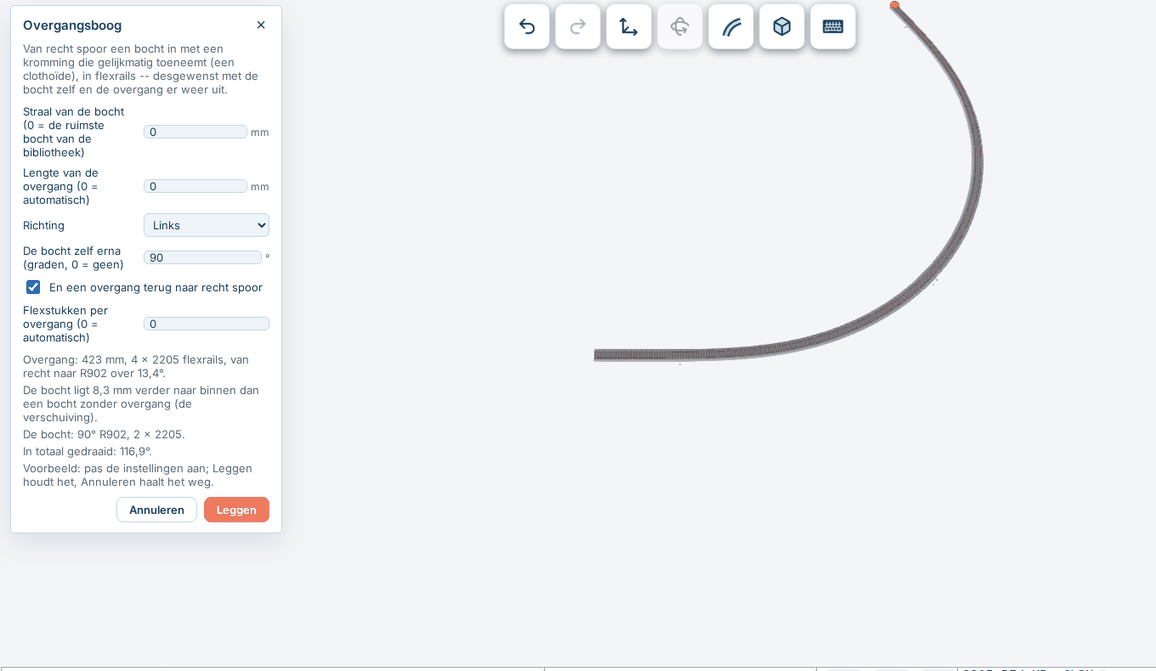
On a real railway straight track does not turn into a curve all at once: the curvature grows gradually. That is a transition curve (a clothoid). The plugin lays it in flex track, in short pieces. It needs a library with flex track and says so when there is none.
- Radius of the curve: 0 is the widest curve of your library.
- Length of the transition: 0 is automatic.
- Direction: left or right.
- The curve itself after it, in degrees, and if you like a transition back out to straight track.
- Flex pieces in a transition: 0 is automatic.
The notes say how long the transition is, how many pieces it has, how many degrees it turns, and how much further inside the curve lies than a curve without a transition.
Safe
A plugin runs completely shut off from everything else: it cannot fetch or send anything and sees nothing of your account. It only gets its settings and the pieces of your library, and hands back which pieces it wants to lay. TRAX checks that and lays them itself. A plugin that hangs is stopped after a few seconds.