How track pieces are built
Every track piece in TRAX3D is a handful of numbers. A turnout is not a picture but a description: so many millimetres straight on, then a curve of this radius through so many degrees. This page lists, for every kind of piece, which numbers those are and how they make the piece. The drawings are made from real pieces in the track libraries.
How to read the drawings
- You look from above. The piece starts at connection 0, the dot with the ring, and runs to the right.
- The coloured line is the centreline of the track, the grey band under it the ballast bed.
- Every part has its own colour: blue the straight at the front, orange the curve, purple a second curve, green the straight at the back.
- The numbered dots are the connections, where the next piece clicks on.
- Lengths are in millimetres, angles in degrees.
Left and right are seen from point 0, looking along the piece. In the library d: true says a curve turns left; without d it turns right. In the drawings left is up.
Connection 0 is always the piece's origin: that is where it lies, and what it turns around. How the other points are numbered depends on the kind of piece, and is given below.
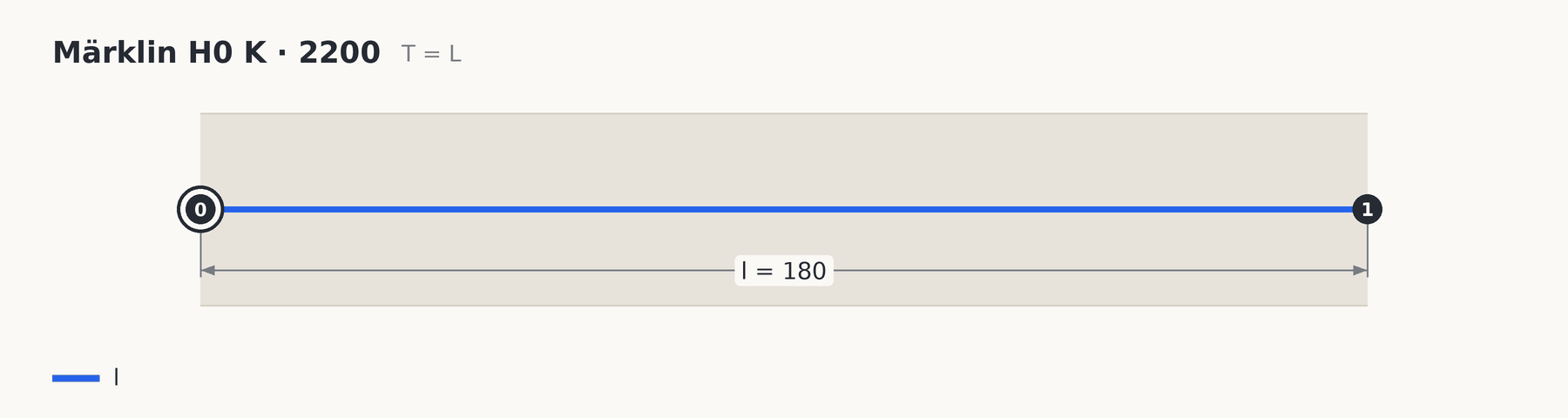
Straight (L)
- l is the length.
Two connections: 0 at the start, 1 at the end.
Curve (C)
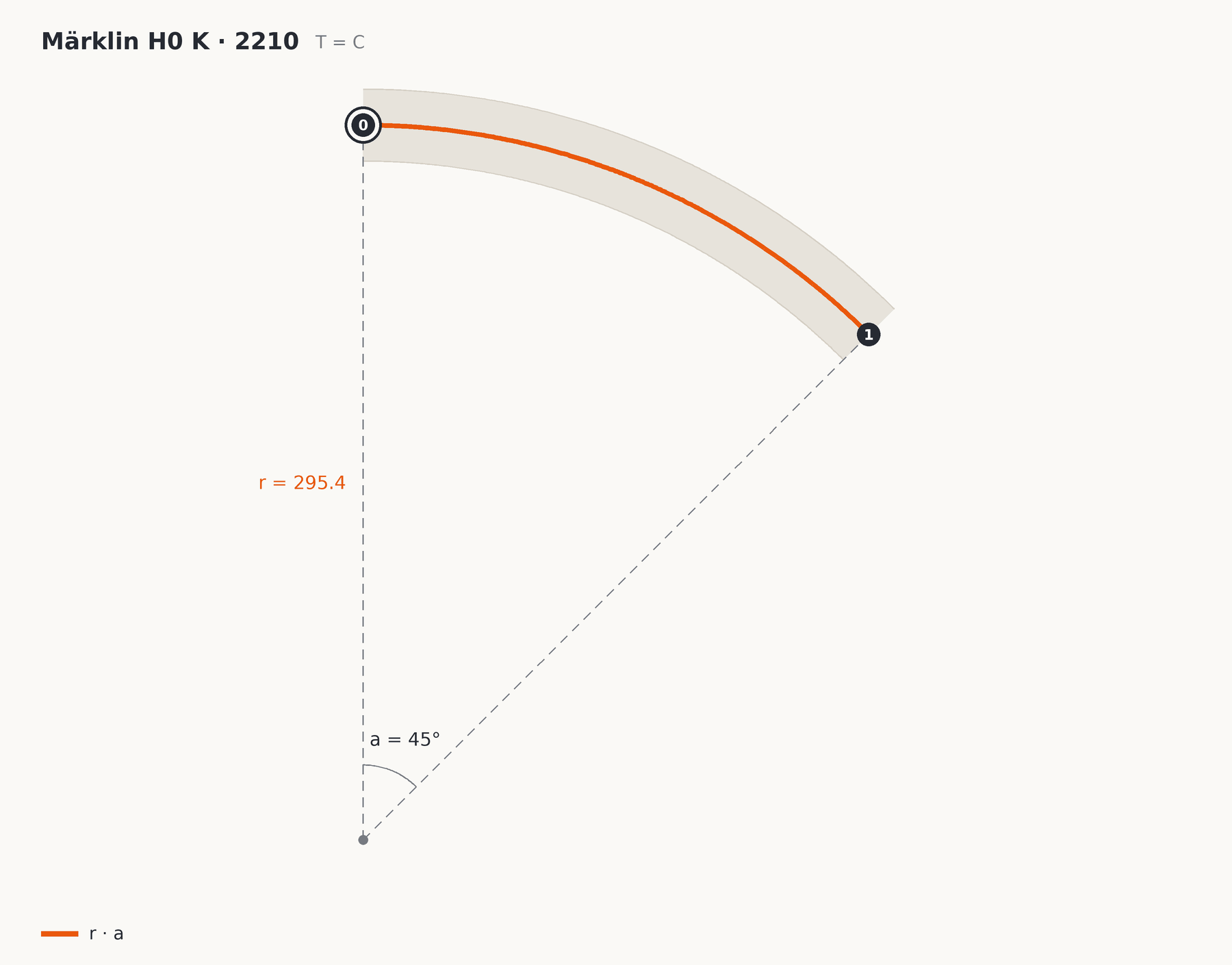
- r is the radius, measured to the centreline.
- a is the angle of the curve, in degrees.
A curve has no hand. Lay it the other way round, with point 1 in front, and it bends the other way. That is why a curve has no d.
Turnout (S)
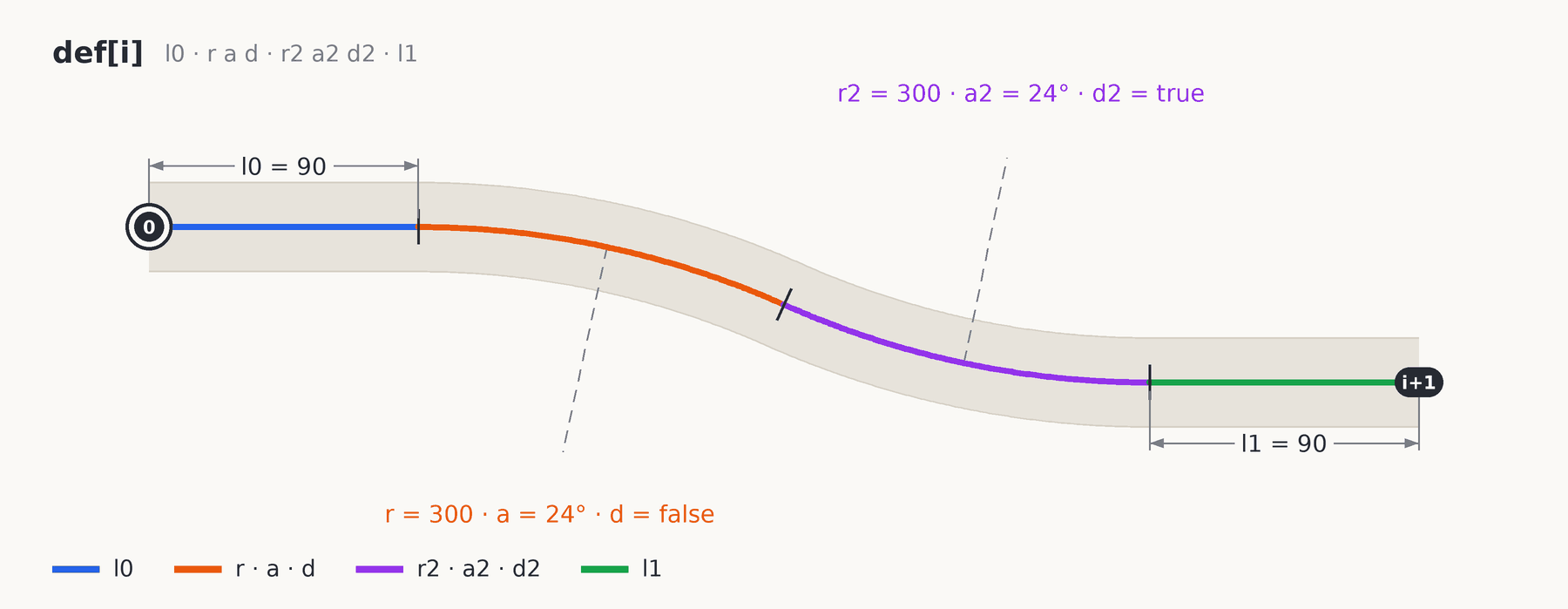
A turnout is one or more legs that all start at point 0, the toe. Every leg is one route through the turnout, and is made of at most four parts in a row: straight, curve, curve, straight.
- l0 is the straight at the front.
- r, a and d are the curve that follows it: radius, angle and hand.
- r2, a2 and d2 are a second curve straight after the first. It may have another radius and bend the other way.
- l1 is the straight at the back.
Any part may be missing. The first leg is called def[0] and ends at connection 1, the second def[1] at connection 2, and so on.
An ordinary turnout
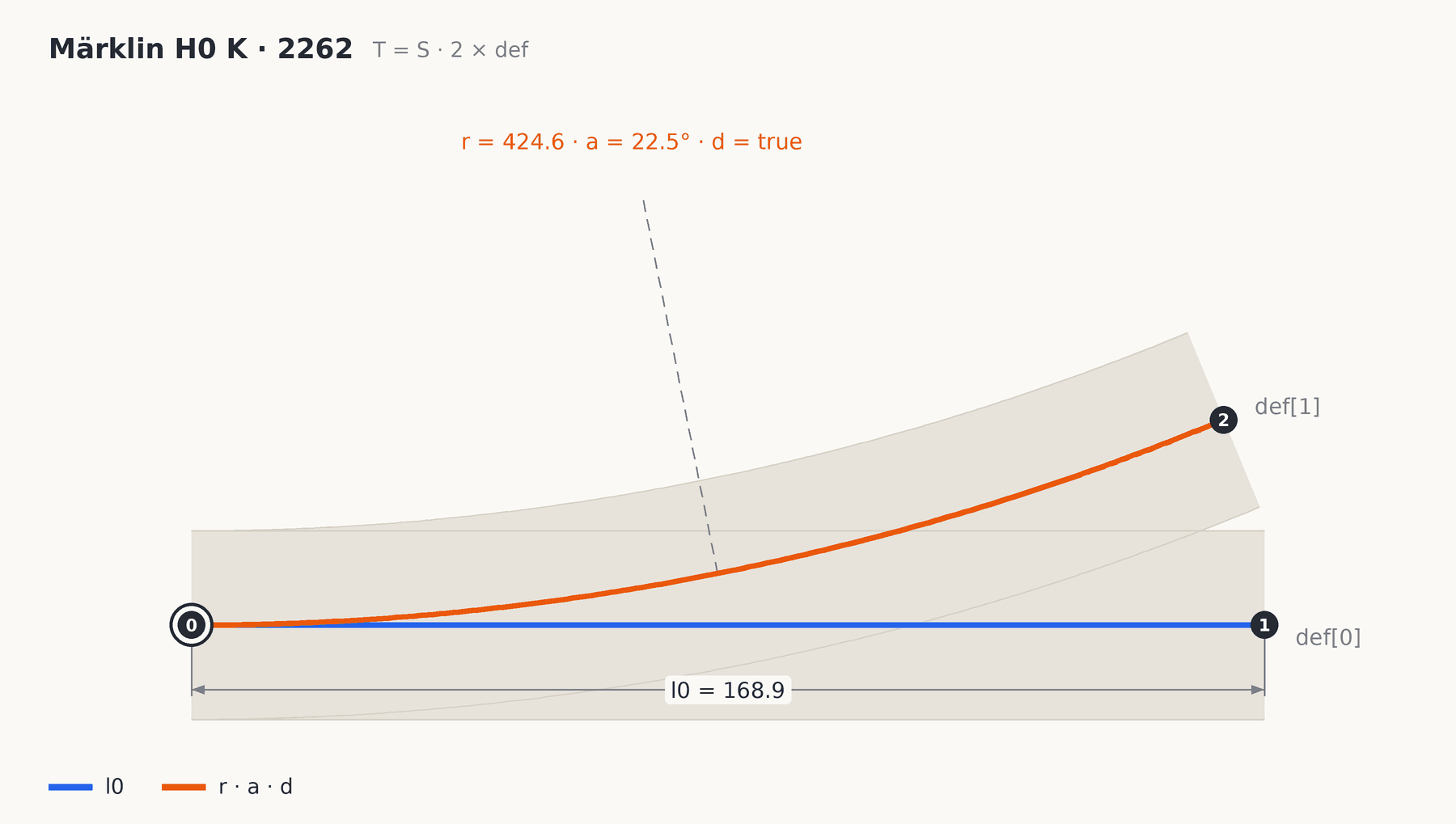
Märklin 2262 has two legs. The first is only a straight of 168.9 mm, the second only a curve of radius 424.6 through 22.5° to the left. What a shop calls a left-hand turnout is, in the library, simply a leg with d: true.
A three-way turnout
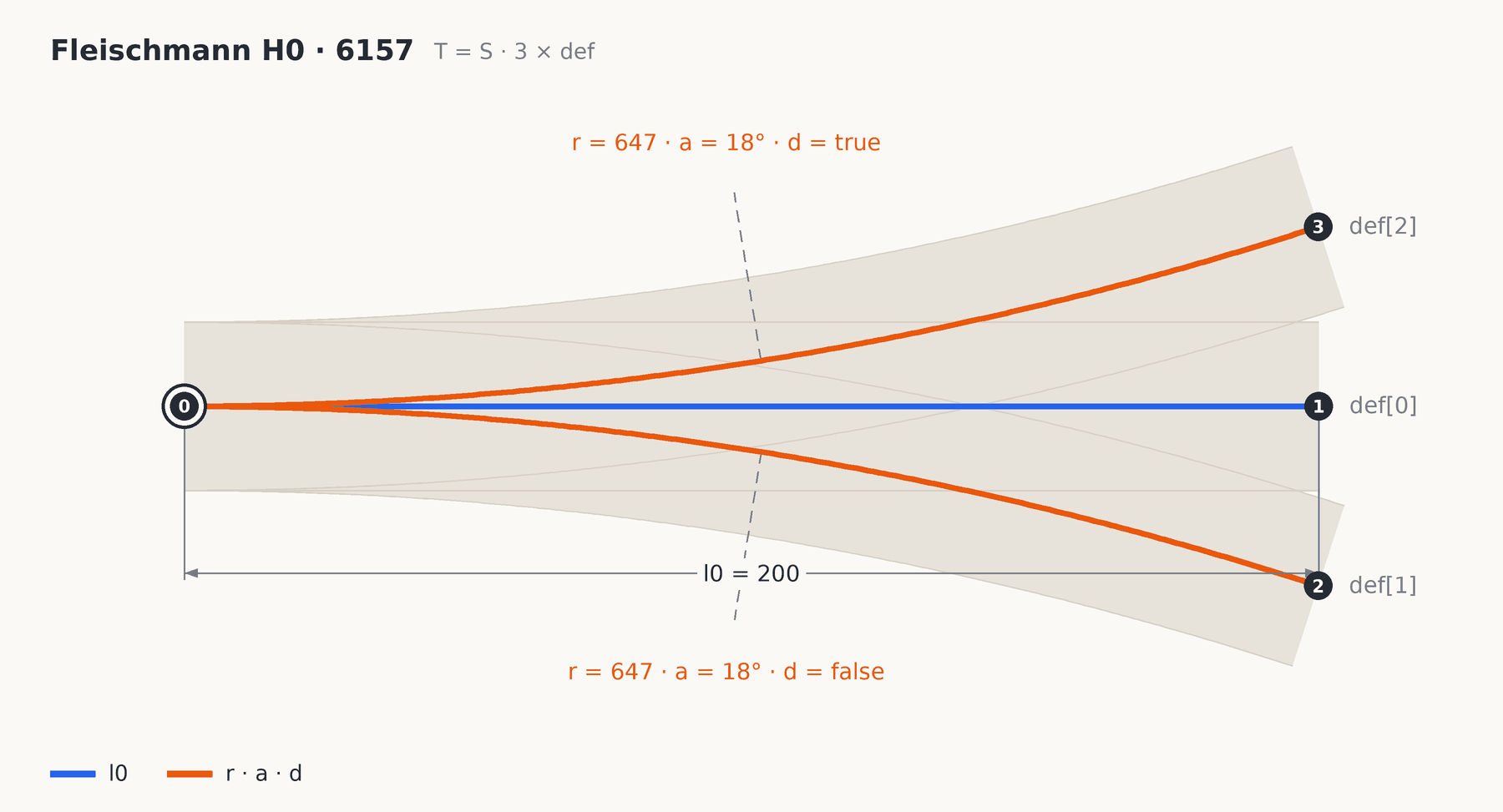
A three-way turnout is nothing special: just three legs. Fleischmann 6157 has a straight leg of 200 mm and two curves of radius 647 through 18°, one to the right and one to the left. That makes four connections: the toe and three exits.
A curved turnout
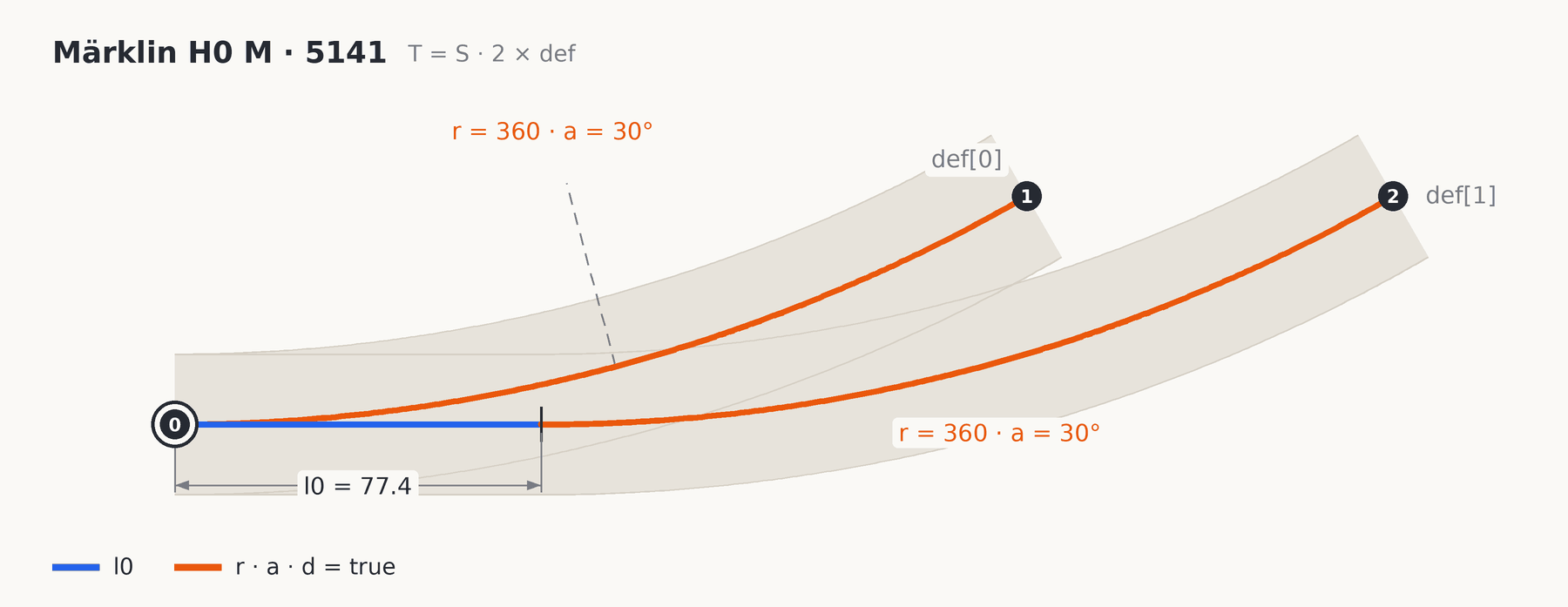
In a curved turnout both legs bend the same way. Märklin M 5141 is an example: one leg is a curve of radius 360 through 30° from the start, the other first runs 77.4 mm straight and then makes the same curve. The two routes therefore end side by side, facing the same way, shifted by that straight.
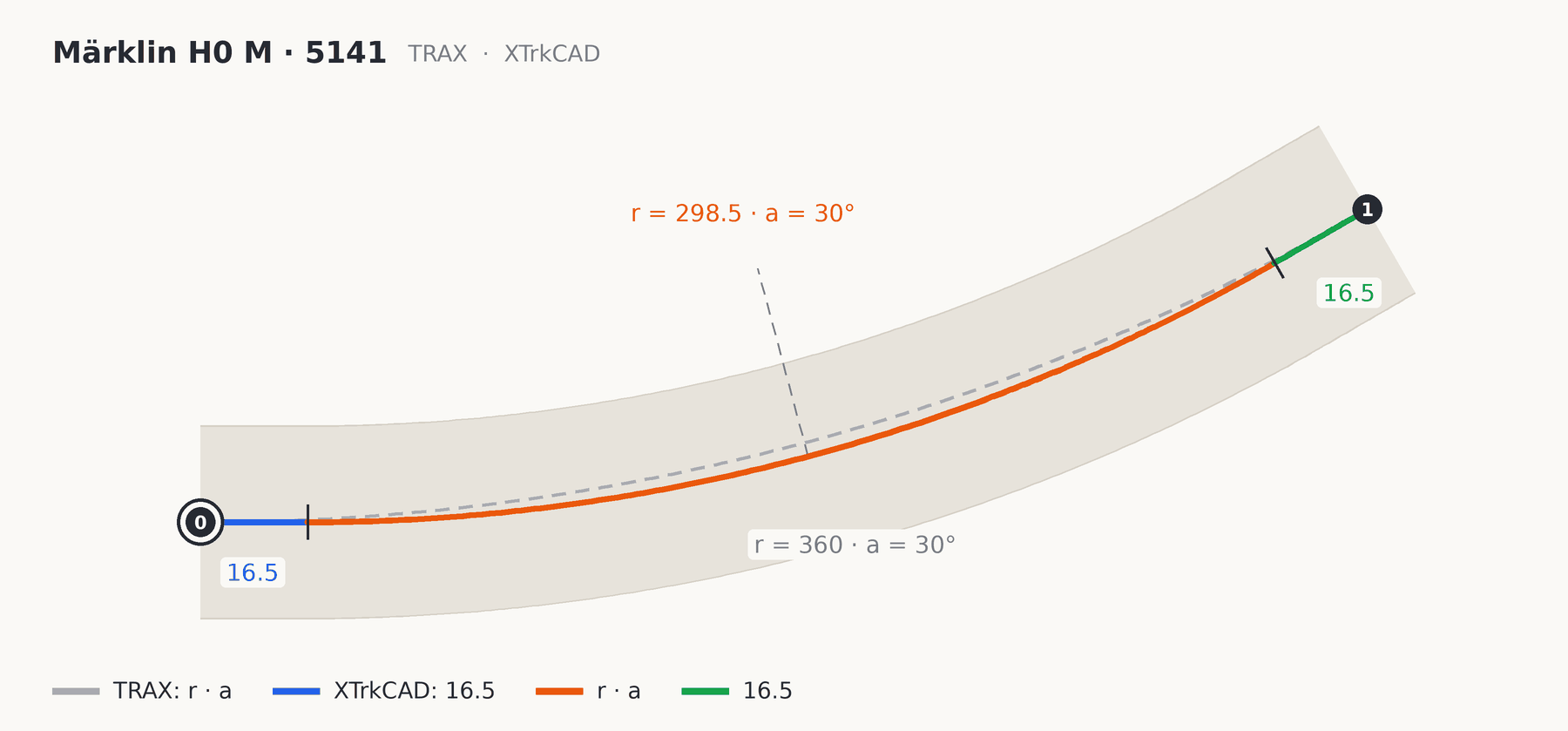
Another program may describe the same piece differently and still end up in the same place. XTrkCAD describes the inner route of the 5141 as 16.5 mm straight, a curve of radius 298.5 through 30°, and 16.5 mm straight again. Both versions end 180.0 mm ahead and 48.2 mm to the side, facing the same way. For whatever joins on, it makes no difference; only the line inside the turnout lies slightly differently.
Crossing (X)
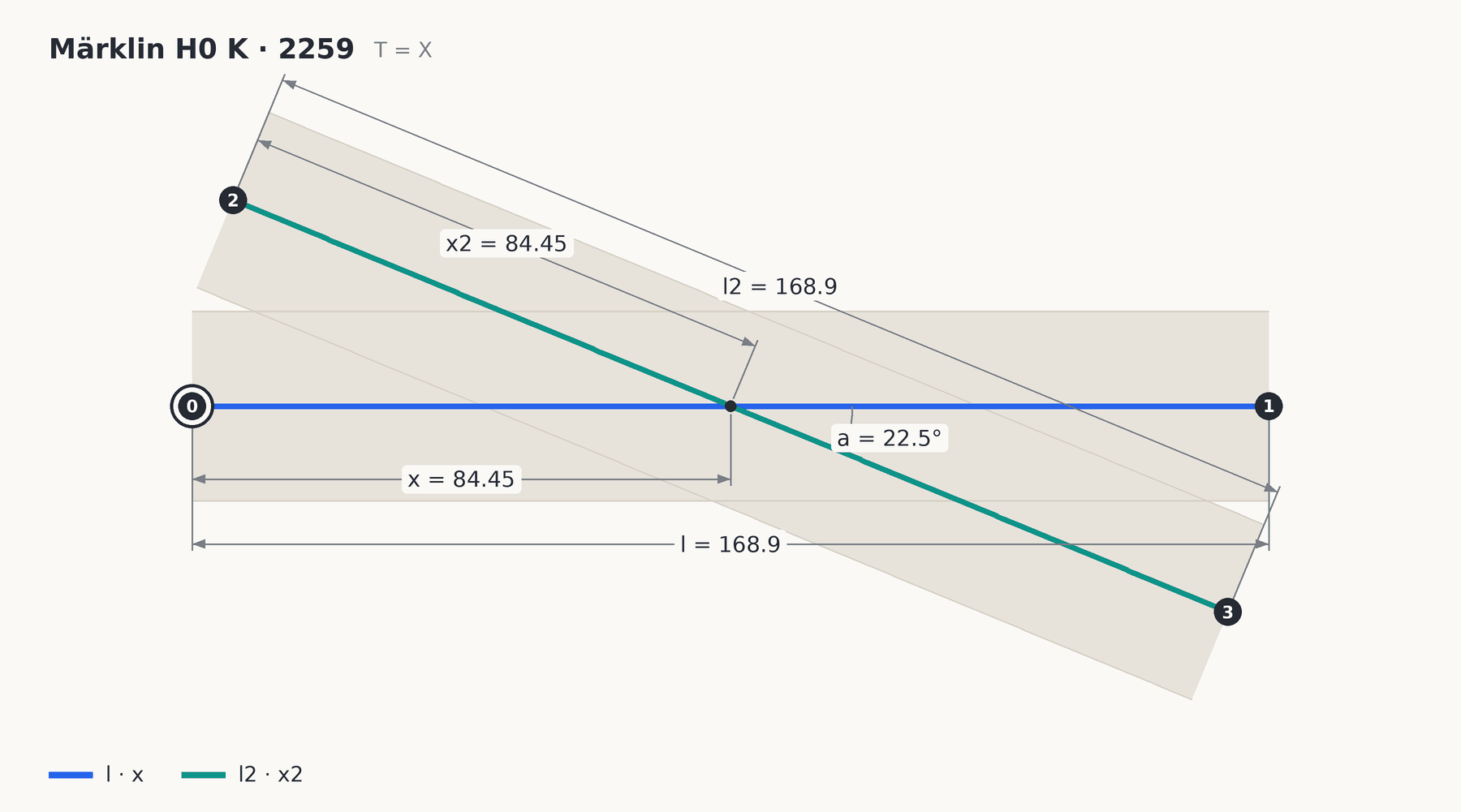
A crossing is two straight tracks that cross. A train can only go straight over it.
- l is the length of the first track, from point 0 to point 1.
- l2 is the length of the second track, from point 2 to point 3.
- a is the angle between the two.
- x is where the crossing point lies on the first track, measured from point 0. Without x it is the middle.
- x2 is where the crossing point lies on the second track, measured from point 2. Without x2 it is the middle too.
Slip (K)
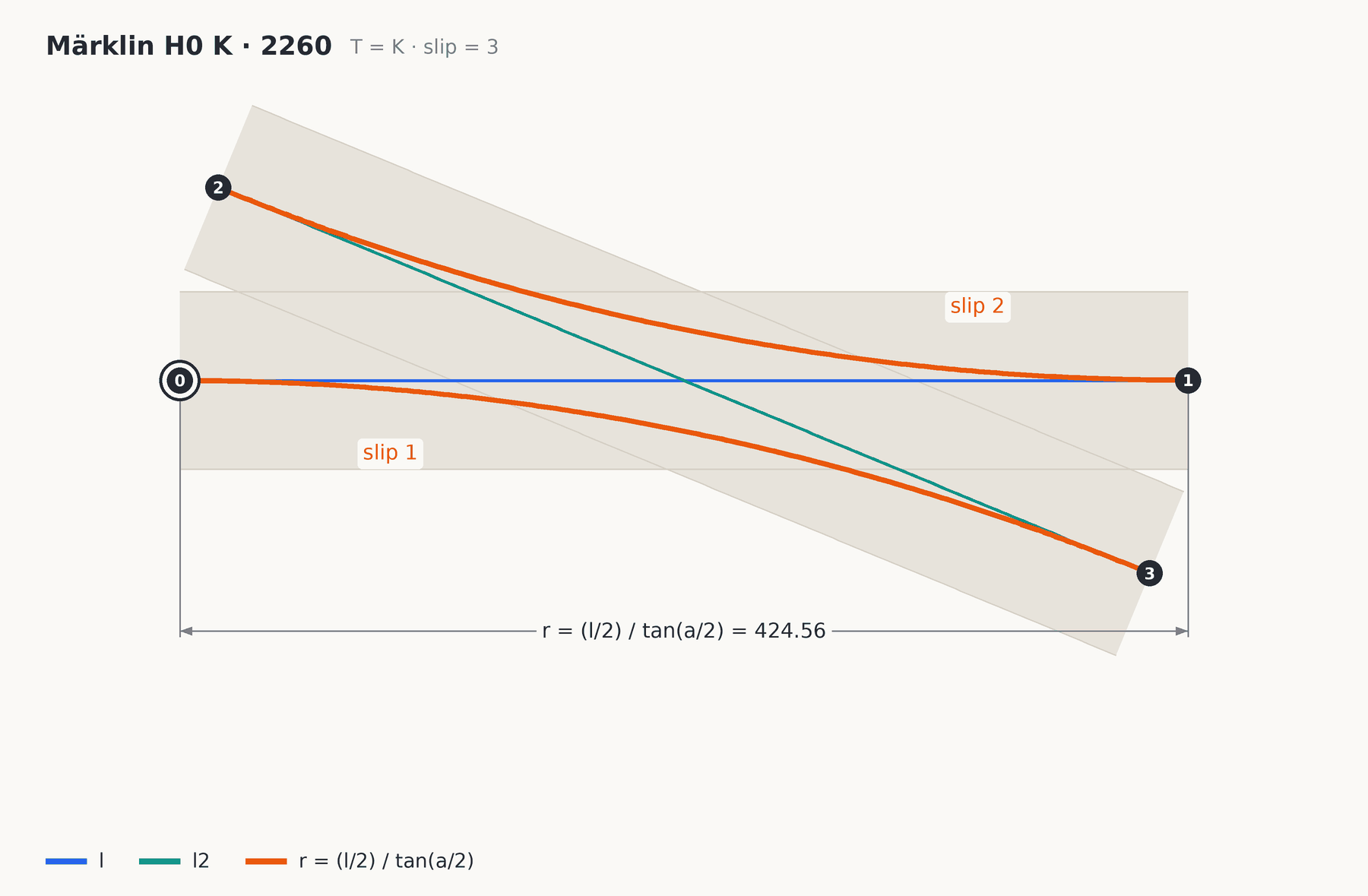
A slip lies exactly like a crossing, with the same four connections in the same places. The difference is that a train can change from one track to the other, over a curve between the two.
- l, l2, a, x and x2 mean the same as for the crossing.
- slip says which curves there are: 1 the route from point 0 to point 3, 2 the route from point 2 to point 1, 3 both. If it says nothing, there are two: a double slip.
The radius of those curves is nowhere in the library, and it does not need to be. A curve has to leave both ends exactly in line with its own track, and only one circle does that. Its radius is r = (l / 2) / tan(a / 2).
For Märklin 2260, with l = 168.9 and a = 22.5°, that gives 424.6 mm: exactly the radius Märklin itself gives.
Double crossover (D)
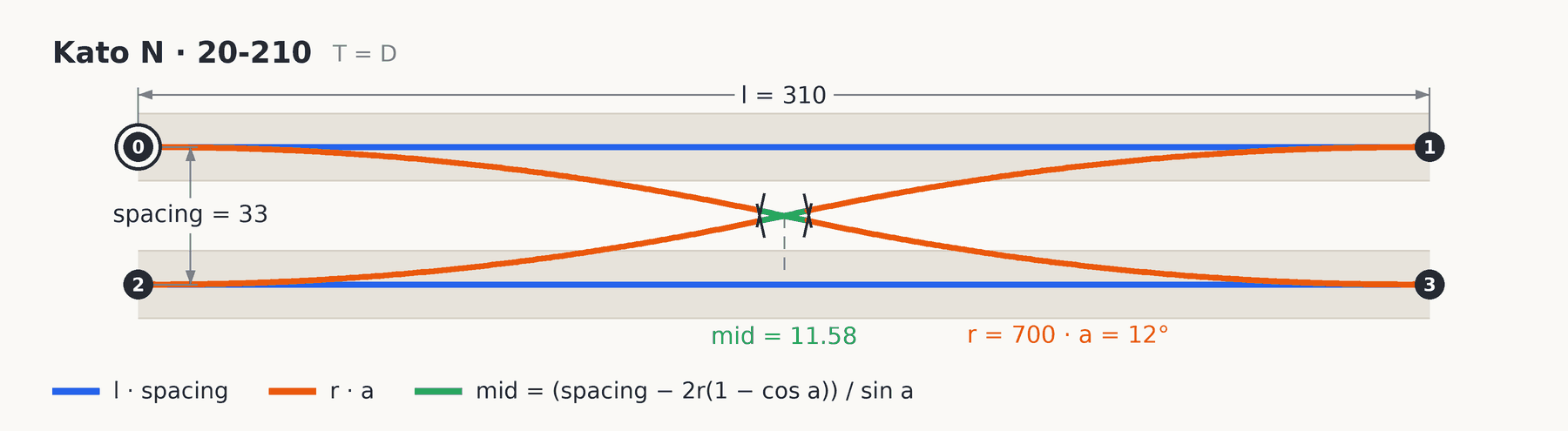
Two parallel tracks with a crossover each way, the two crossing in the middle. Also called a scissors crossover.
- l is the length along each track.
- spacing is the distance between the centrelines of the two tracks.
- r and a are the radius and angle of the curves in the crossovers.
Every crossover is a curve, a short straight and a curve back. That straight is not in the library, because the track spacing fixes it: mid = (spacing − 2r(1 − cos a)) / sin a. For Kato 20-210 it is 11.6 mm. The crossovers sit in the middle of the piece.
Connections 0 and 1 are on the first track, 2 and 3 on the second.
Buffer stop (B)
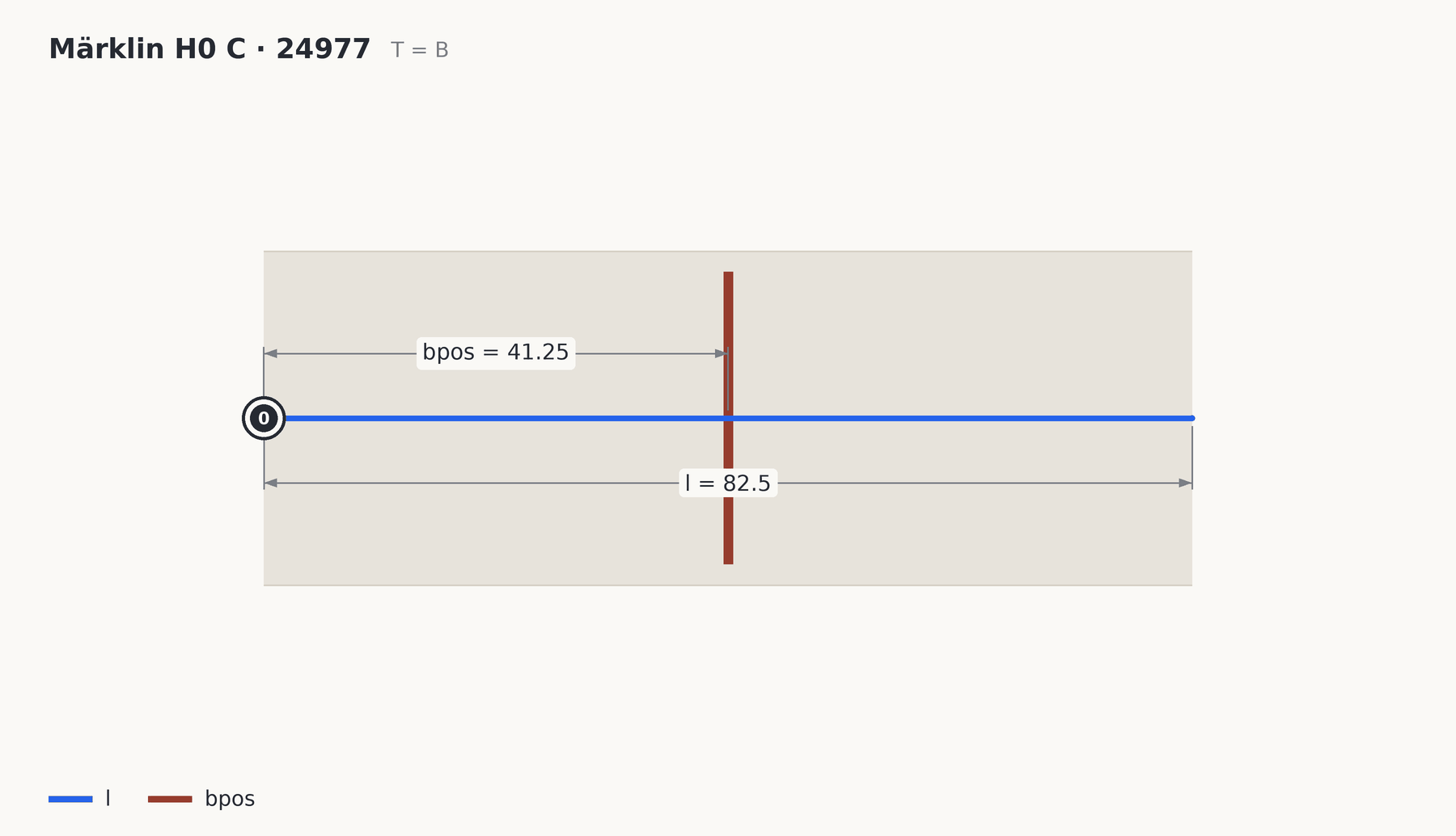
- l is the length of the bit of track.
- bpos is where the buffer stop itself stands on that track, measured from point 0. Without bpos it stands in the middle.
A buffer stop has only one connection, 0. Nothing joins at the other end.
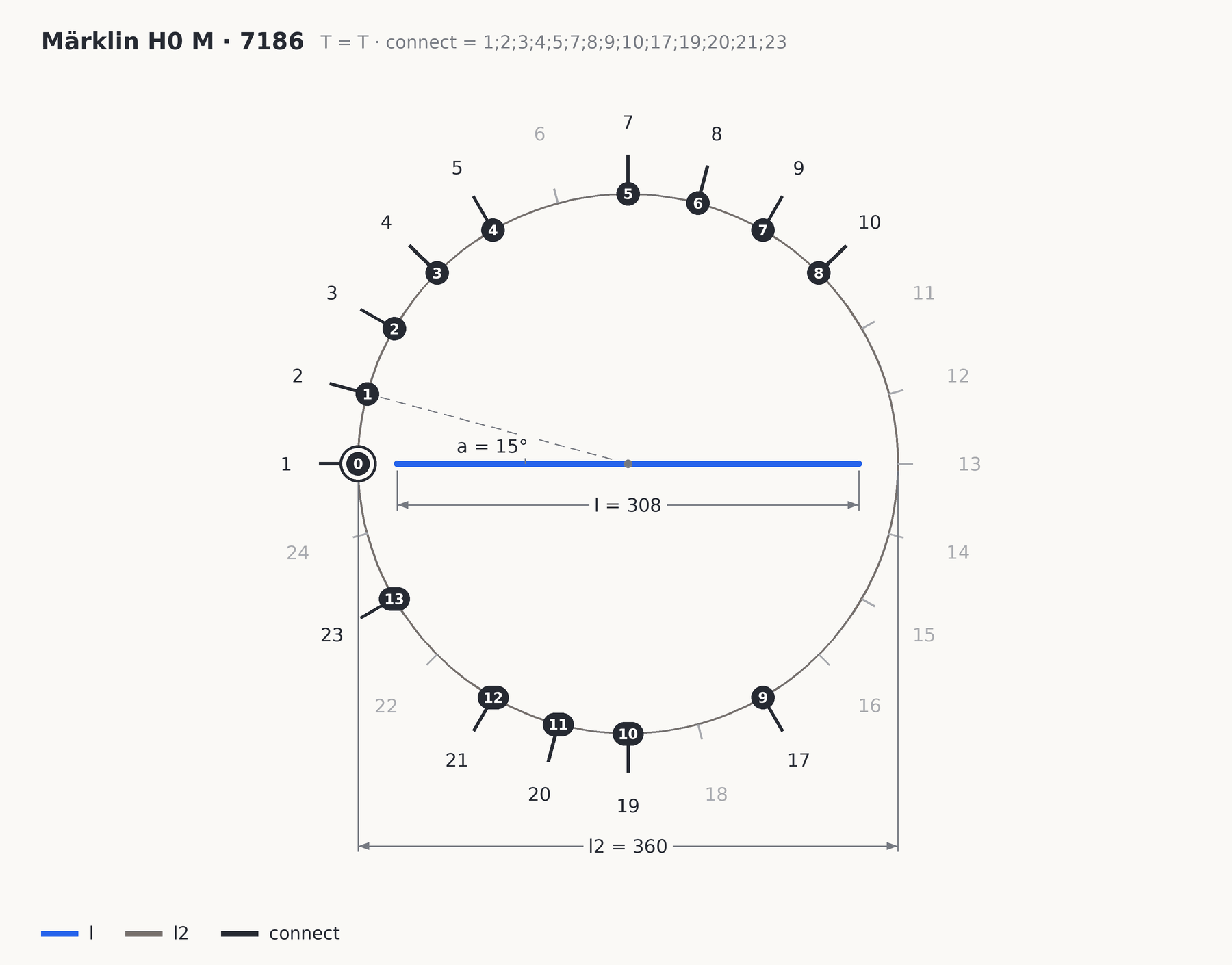
Turntable (T)
- l is the length of the bridge, the part that turns.
- l2 is the diameter of the pit.
- a is the angle between two connection positions. At 15° there are 24 of them all round.
- connect says at which positions a track really joins, as a list with semicolons between, and the first position is 1. Empty means: every position.
Position 1 lies on the origin, so a turntable joins like any other piece. The connections are numbered in order over the positions in connect: on the Märklin 7186, position 23 is connection 13.
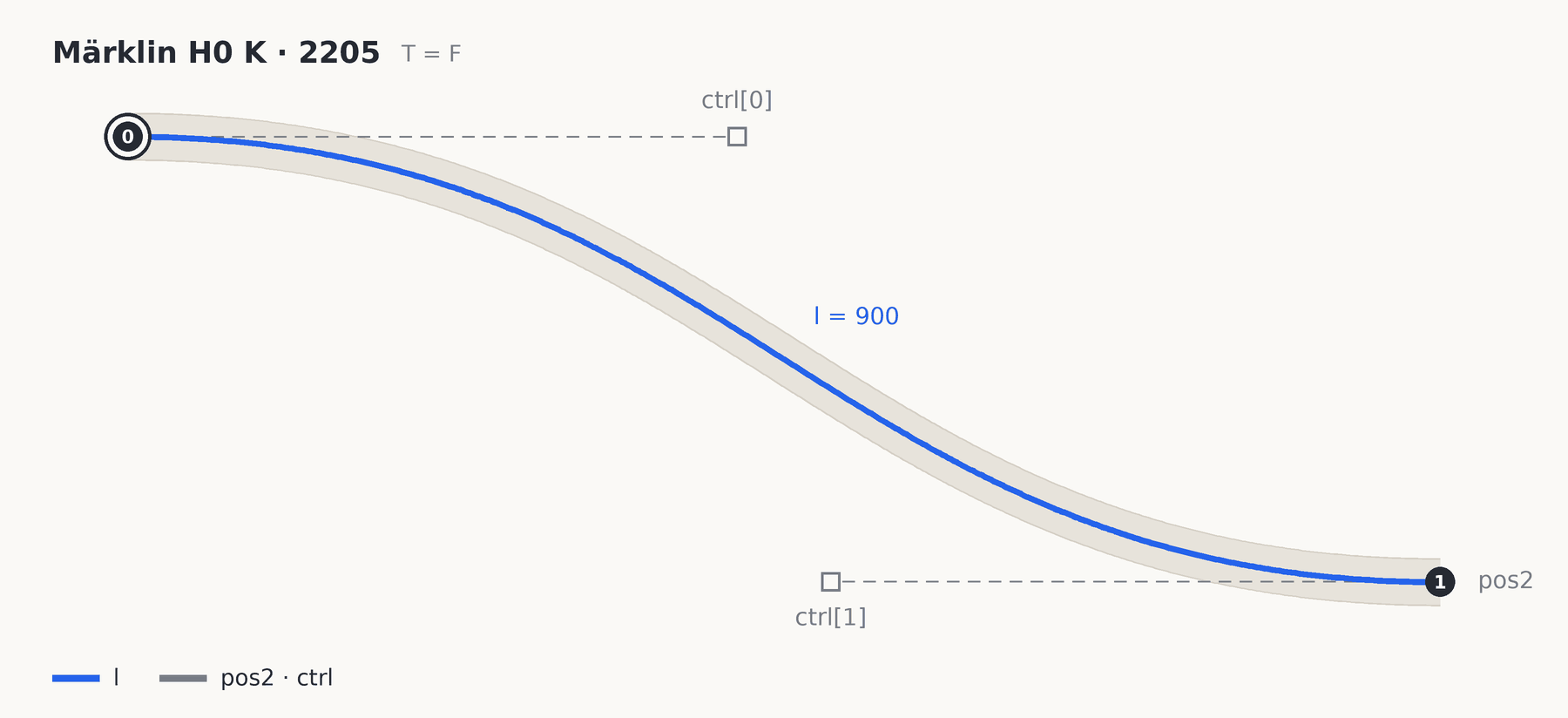
Flex track (F)
- l is the length of the piece as you buy it.
Flex track has no shape of its own. The library gives only the length; you make the shape yourself in the editor by dragging the end and two control points. Those are saved with your project. Connection 0 is at the start, 1 at the end. How to bend it is under flex track.